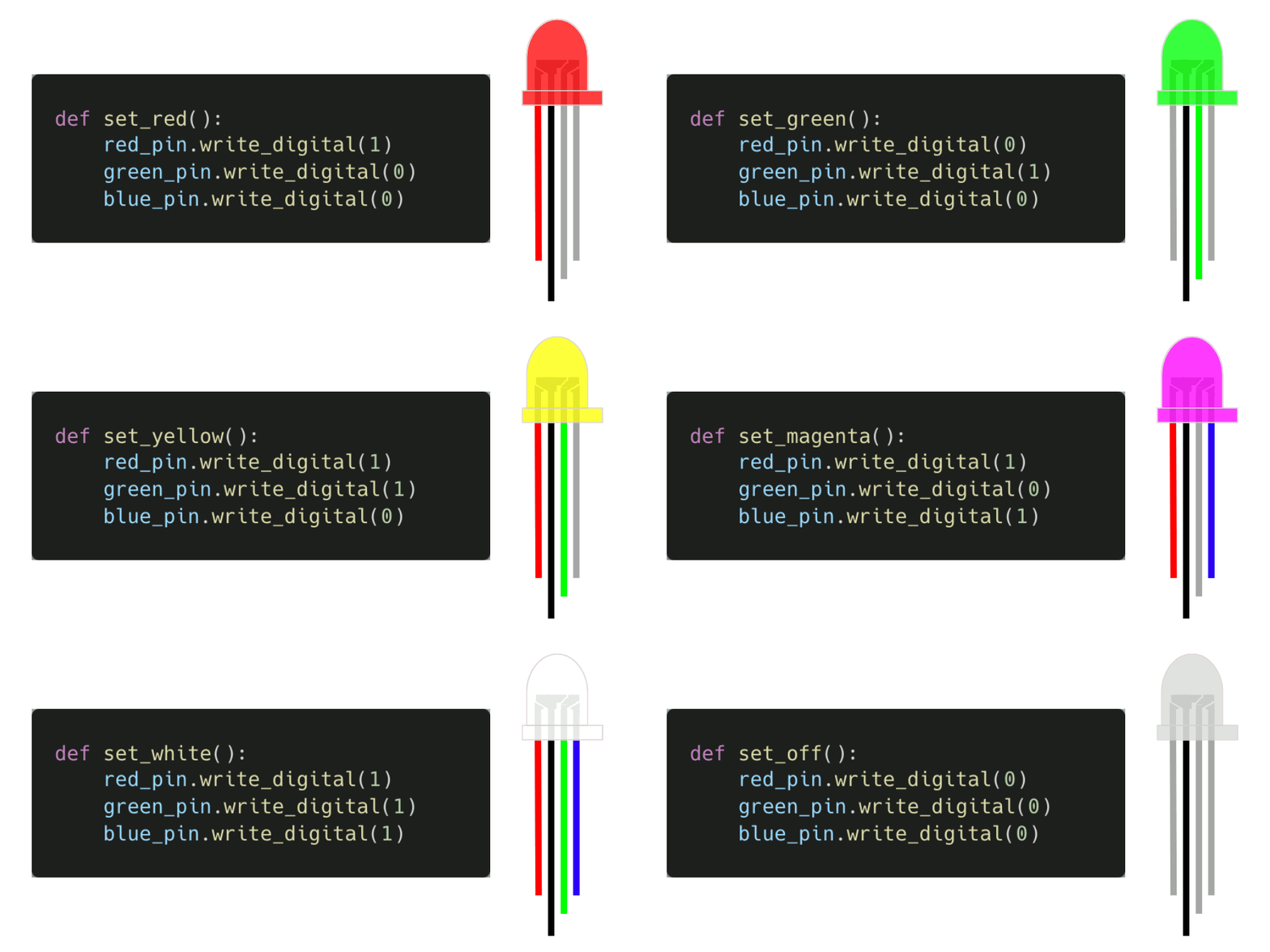
Functions#
Functions are essential concepts in mathematics and computer science, but they differ in how they are defined and used.
Functions in Mathematics#
In mathematics, a function is a rule that assigns a unique output to each input from a given set. The input is the independent variable, and the output is the dependent variable. A formula, a table, a graph, or a set of ordered pairs can represent a function.
Functions in Computer Science#
In computer science, a function is a routine that takes some data as input and returns an answer based on that data. The input is called the argument, and the output is called the return value.
Functions in Mathematics Vs. Functions in Computer Science#
Similarities#
One similarity between mathematics and computer science functions is that they describe relationships between variables. $$ \begin{align} f(x) &= x + 1 \ \ f(-1) &= -1 + 1 \ &= 0 \ \ f(0) &= 0 + 1 \ &= 1 \ \ f(1) &= 1 + 1 \ &= 2
\end{align} $$
Differences#
Functions do not need to be numeric in Python.
Anatomy of a Function#
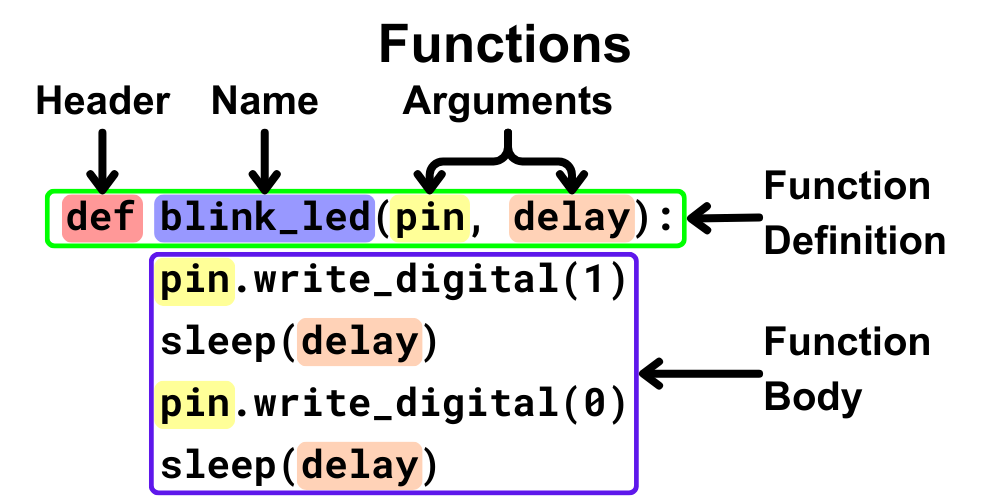
Defining Functions in Python#
# Imports go at the top
from microbit import *

# Set the LED pins
red_pin = pin1   # pin1 is the red pin
green_pin = pin2 # pin2 is the green pin
blue_pin = pin3  # pin3 is the blue pin

# Set the LED to the color red
def set_red():
    red_pin.write_digital(1)   # Set the red pin to 1
    green_pin.write_digital(0) # Set the green pin to 0
    blue_pin.write_digital(0)  # Set the blue pin to 0

# Set the LED to the color green
def set_green():
    red_pin.write_digital(0)   # Set the red pin to 0
    green_pin.write_digital(1) # Set the green pin to 1
    blue_pin.write_digital(0)  # Set the blue pin to 0

# Set the LED to the color blue
def set_blue():
    red_pin.write_digital(0)   # Set the red pin to 0
    green_pin.write_digital(0) # Set the green pin to 0
    blue_pin.write_digital(1)  # Set the blue pin to 1

# Set the LED to the color yellow
def set_yellow():
    red_pin.write_digital(1)   # Set the red pin to 1
    green_pin.write_digital(1) # Set the green pin to 1
    blue_pin.write_digital(0)  # Set the blue pin to 0

# Set the LED to the color magenta
def set_magenta():
    red_pin.write_digital(1)   # Set the red pin to 1
    green_pin.write_digital(0) # Set the green pin to 0
    blue_pin.write_digital(1)  # Set the blue pin to 1

# Set the LED to the color cyan
def set_cyan():
    red_pin.write_digital(0)   # Set the red pin to 0
    green_pin.write_digital(1) # Set the green pin to 1
    blue_pin.write_digital(1)  # Set the blue pin to 1

# Set the LED to the color white
def set_white():
    red_pin.write_digital(1)   # Set the red pin to 1
    green_pin.write_digital(1) # Set the green pin to 1
    blue_pin.write_digital(1)  # Set the blue pin to 1

# Set the LED to the color off
def set_off():
    red_pin.write_digital(0)   # Set the red pin to 0
    green_pin.write_digital(0) # Set the green pin to 0
    blue_pin.write_digital(0)  # Set the blue pin to 0

# Code in a 'while True:' loop repeats forever
while True:
    # Set the LED to the color red
    set_red()
    # Wait for 500ms (0.5 seconds)
    sleep(500)
    # Set the LED to the color green
    set_green()
    # Wait for 500ms (0.5 seconds)
    sleep(500)
    # Set the LED to the color blue
    set_blue()
    # Wait for 500ms (0.5 seconds)
    sleep(500)
    # Set the LED to the color yellow
    set_yellow()
    # Wait for 500ms (0.5 seconds)
    sleep(500)
    # Set the LED to the color magenta
    set_magenta()
    # Wait for 500ms (0.5 seconds)
    sleep(500)
    # Set the LED to the color cyan
    set_cyan()
    # Wait for 500ms (0.5 seconds)
    sleep(500)
    # Set the LED to the color white
    set_white()
    # Wait for 500ms (0.5 seconds)
    sleep(500)
    # Set the LED to the color off
    set_off()
    # Wait for 500ms (0.5 seconds)
    sleep(500)