
The Boolean (bool) Data Type#
TODO
Up until this point, two data types have been presented. These data types are reviewed below:
Reviewing Data Types#
TODO
Strings#
A string is a data type used for a character or a sequence of characters. Strings are characters between quotes ' ' or double quotes " ". TODO
Integers#
TODO
The Boolean Data Type#
TODO
About?#
TODO
Brief Introduction to Logic#
TODO
Logical Operators#
TODO
Logical Operator |
||
|---|---|---|
$\land$ |
AND |
TODO |
$\lor$ |
OR |
TODO |
TODO
Negation Operator |
||
|---|---|---|
$\neg$ |
Negation#
TODO
Venn Diagram#
TODO
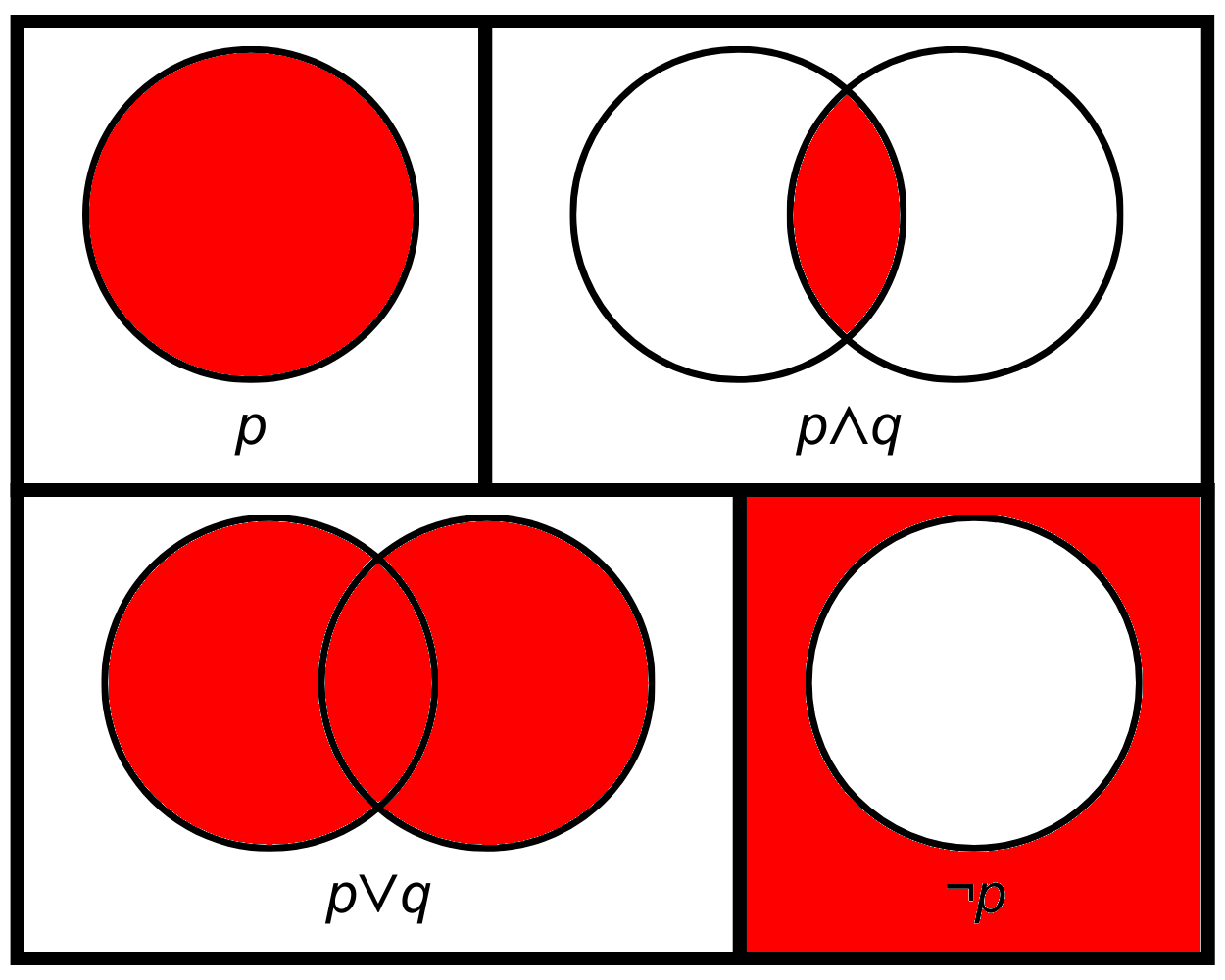
TODO
Truth Tables#
TODO
$p$ |
$q$ |
$p\land q$ |
$p\lor q$ |
|---|---|---|---|
T |
T |
T |
T |
T |
F |
F |
T |
F |
T |
F |
T |
F |
F |
F |
F |
TODO
$p$ |
$q$ |
$\neg p$ |
$\neg q$ |
|---|---|---|---|
T |
T |
F |
F |
T |
F |
F |
T |
F |
T |
T |
F |
F |
F |
T |
T |
Boolean Operators in Python#
The int Values of the bool Data Type#
Note
, True and False, with the corresponding integer values 1 and 0,Given that that the Boolean data type has two values True and False with the corresponding integer values 1 and 0 respectively. It is possible to turn an LED on and off using a bool as demonstrated below:
# Imports go at the top
from microbit import *

# Set the LED pin
led_pin = pin1

# Code in a 'while True:' loop repeats forever
while True:
    # Turn the LED on
    led_pin.write_digital(1)
    # Wait for 500ms (0.5 seconds)
    sleep(500)
    # Turn the LED off
    led_pin.write_digital(0)
    # Wait for 500ms (0.5 seconds)
    sleep(500)
Is equivalent to:
# Imports go at the top
from microbit import *

# Set the LED pin
led_pin = pin1

# Code in a 'while True:' loop repeats forever
while True:
    # Turn the LED on
    led_pin.write_digital(True)
    # Wait for 500ms (0.5 seconds)
    sleep(500)
    # Turn the LED off
    led_pin.write_digital(False)
    # Wait for 500ms (0.5 seconds)
    sleep(500)
Is equivalent to:
# Imports go at the top
from microbit import *

# Set the LED pin
led_pin = pin1
# Set the LED to on
led_on = True
# Set the LED to off
led_off = False

# Code in a 'while True:' loop repeats forever
while True:
    # Turn the LED on
    led_pin.write_digital(led_on)
    # Wait for 500ms (0.5 seconds)
    sleep(500)
    # Turn the LED off
    led_pin.write_digital(led_off)
    # Wait for 500ms (0.5 seconds)
    sleep(500)
# Imports go at the top
from microbit import *

# Set the LED pin
led_pin = pin1

# Code in a 'while True:' loop repeats forever
while True:
    # Turn the LED on
    led_pin.write_digital(True)
    # Wait for 500ms (0.5 seconds)
    sleep(500)
    # Turn the LED off
    led_pin.write_digital(False)
    # Wait for 500ms (0.5 seconds)
    sleep(500)